
Every repair starts here
One phone. Dozens of parts.
Display, battery, board, back cover.
Track every part you need, in one draft.
Built for mobile repair technicians
Never lose a part to a WhatsApp scroll again.
Add spare parts the moment you remember them. GSM Guide keeps one Current Draft, organises it by category, then turns it into a PO you can split by supplier and send on WhatsApp.
How it works
From "I need a display" to a supplier order in four steps.
Add as you remember
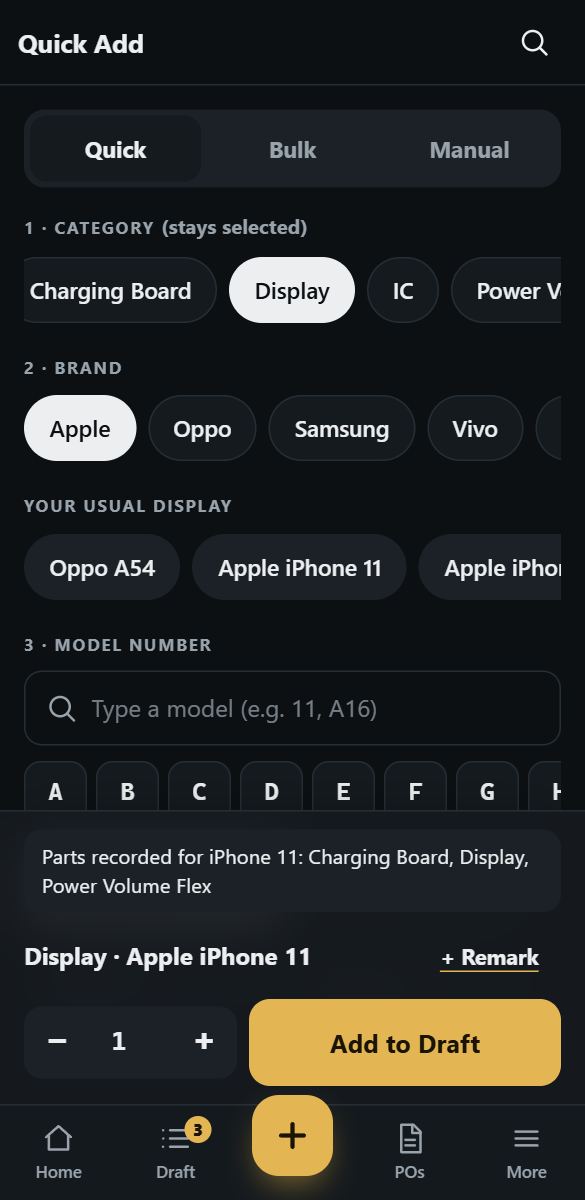
Pick a category once, then tap brand and model. Quantity and remark are optional.
One Current Draft
Everything lands in a single draft, grouped by category. Close the app, nothing is lost.
Create the PO
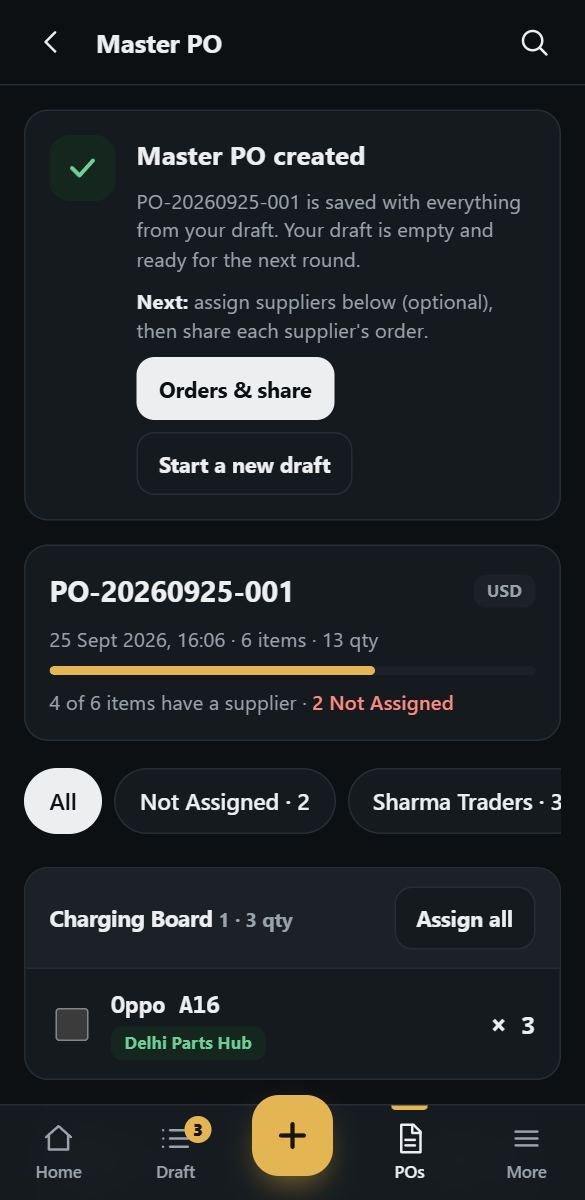
Review totals per category, then create one Master PO. No supplier needed yet.
Split & send
Assign suppliers to items or whole categories, then share each supplier's order on WhatsApp.
Made for the counter and the bench
Fast entry. Clear data. Nothing guessed.
Quick Add
Category stays selected, so ten models in a row take seconds. Your usual models for each category are one tap away.
Model-number search & filter
Type a few characters or filter by first letter or digit. Model numbers are shown in a clear monospace face.
Verified compatibility
See that an OPPO A16 Power Flex also fits the A54. Only links entered by an administrator are shown, never inferred.
A draft that never disappears
Same brand, model and category merge into one line. Different remarks stay separate so no detail is lost.
Supplier-wise orders
The Master PO stays complete while each supplier gets a clean order. Items without a supplier stay visible as Not Assigned.
My Products & repeat PO
Keep your own regular items and copy a previous PO back into the draft instead of retyping it.
Start your first draft in under a minute.
Create an account, choose your currency and add your first item.
Create your accountQuestions
Does GSM Guide replace WhatsApp?
No. It prepares a clean, supplier-specific order and hands it to WhatsApp (or any share option on your phone). You keep talking to suppliers the way you do today.
Where is my draft stored?
On the GSM Guide server, tied to your account. It is available on the web, Android and iOS, and nothing is lost when you close the app. An internet connection is needed to add items.
How is compatibility decided?
An authorised administrator records each verified link between models for a part category. GSM Guide shows only those links and never guesses. Always double-check a part before you buy.
Can I use my own currency?
Yes. You pick a default currency when you sign up and every PO is stamped with it.